I designed and shipped a guided AI sourcing workflow that helps brands turn early ideas into supplier ready briefs and outreach. The goal was simple: get suppliers to respond faster and help more sourcing conversations turn into real orders.
230+ product briefs created
140 invoices generated; ~50% conversion to paid
Product brief interations
00
/
Solution at a glance
Turning early intent into supplier ready conversations
Design to support uncertainty, not punish it. Templates and optional refine help messy ideas become usable inputs fast.
30% of progressed to brief. A strong signal because sourcing is not an everyday task.
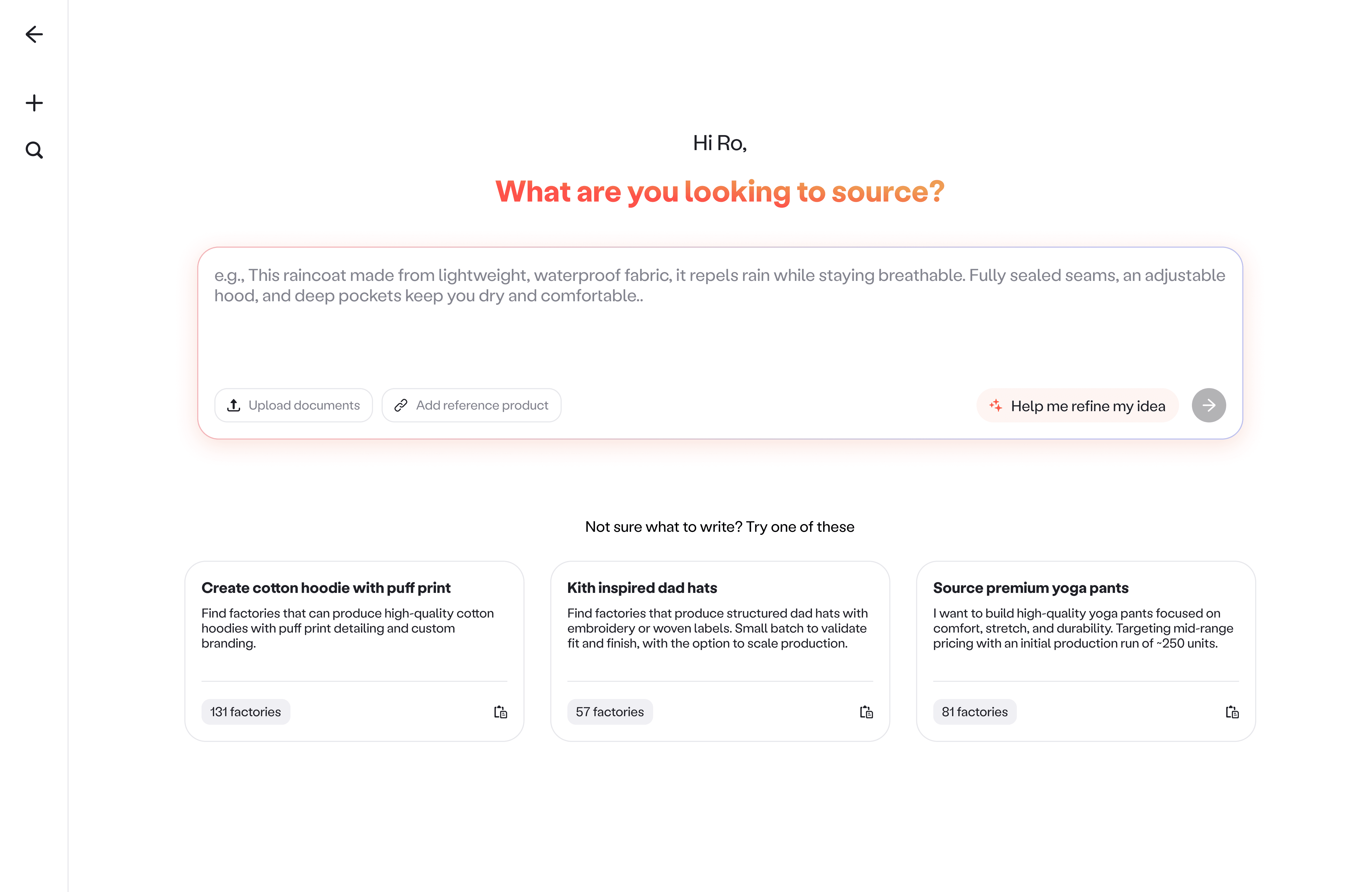
Step 1 - Input screen
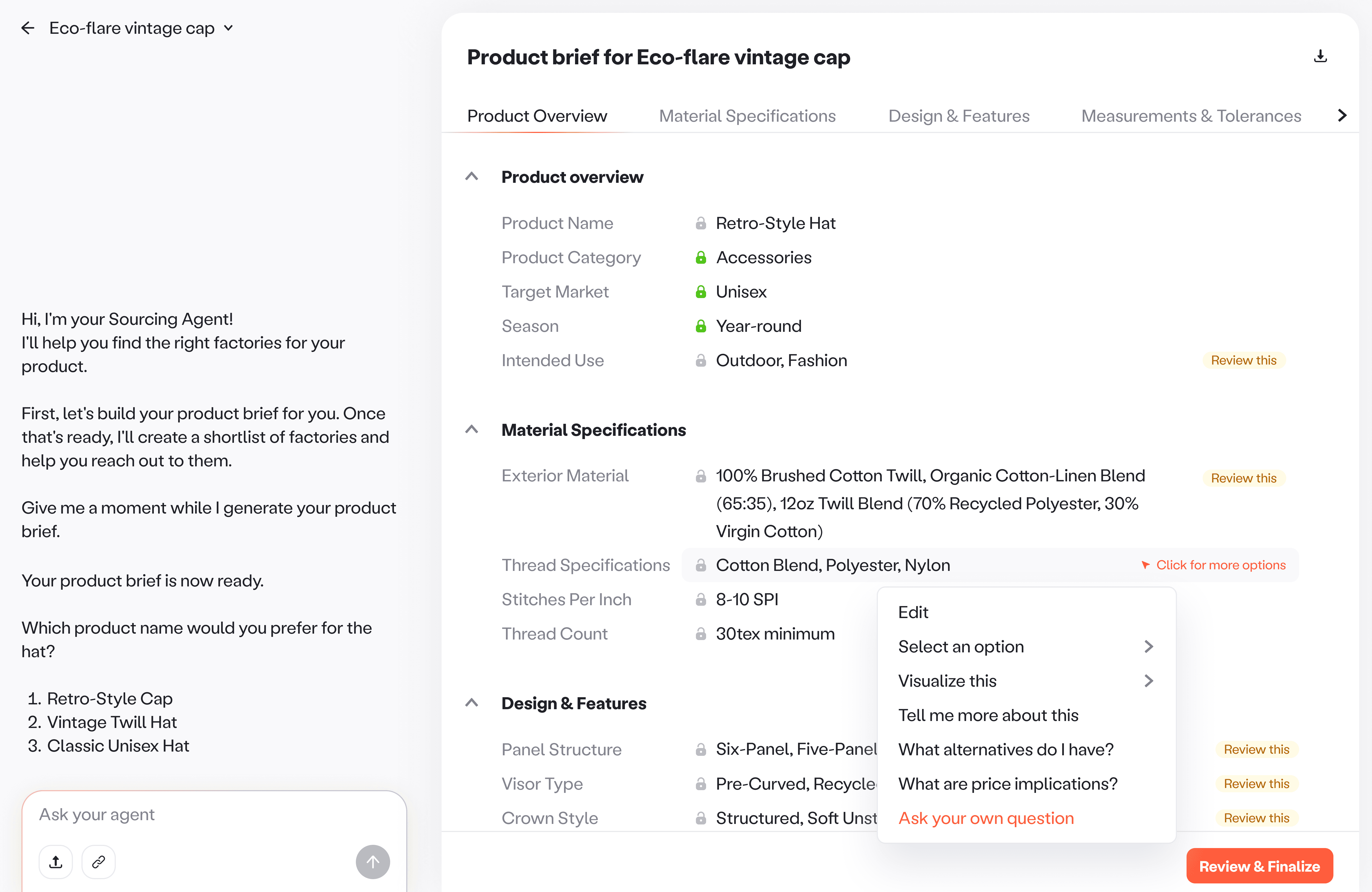
Product brief as the core artifact. A structured brief makes AI assumptions visible and easy to review.
55% moved on to factory recs. This indicated that the experience successfully carried momentum forward.
Step 2 - AI Product brief canvas
Factory matches turning brief into action. Grounded matches users can actually contact, not just suggestions.
~80% went on to contact suppliers. This validated user confidence in the system.
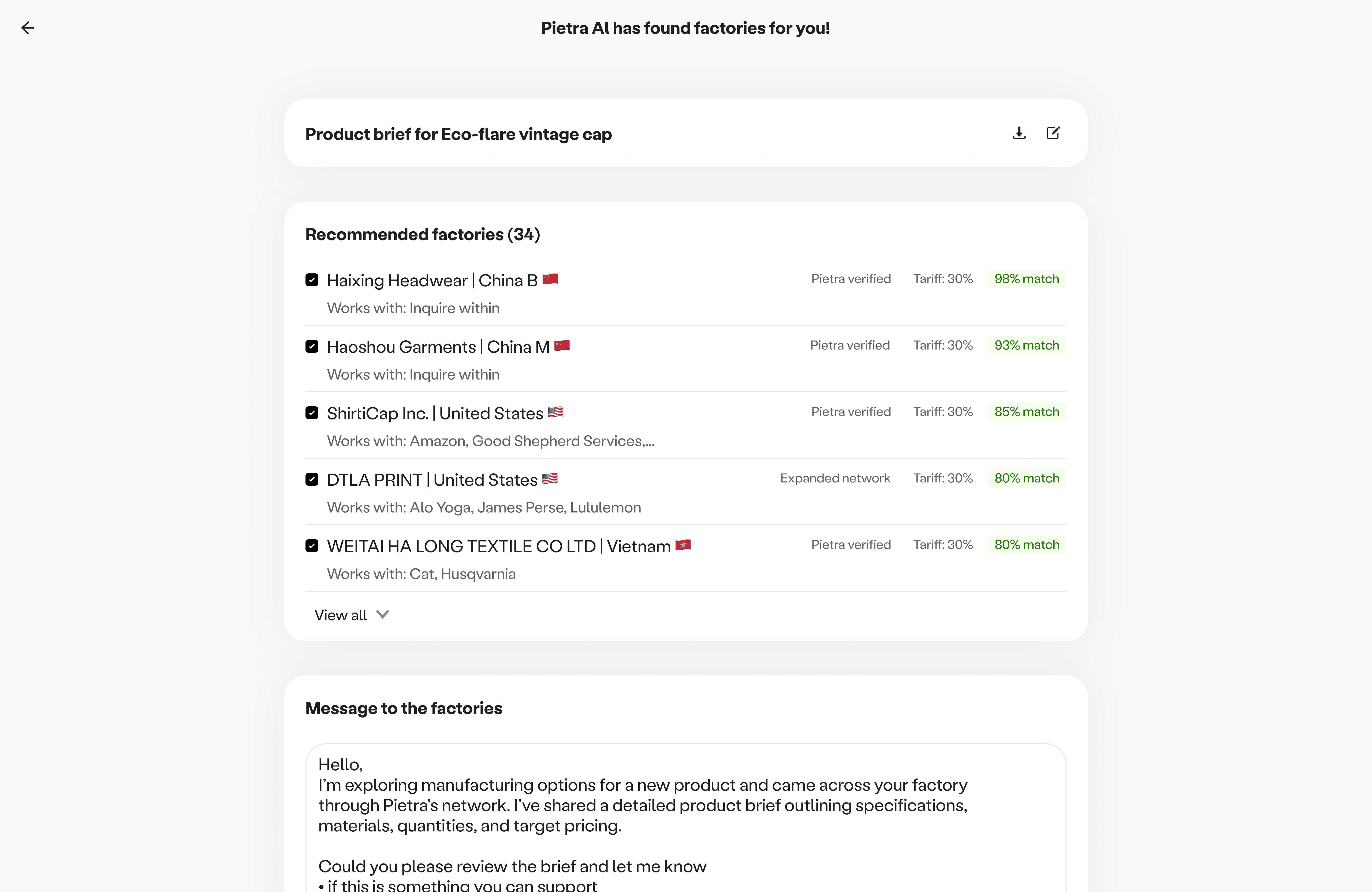
Step 3 - Factory recommendations
01
/
Problem
Sourcing conversations were not going anywhere
Context. Pietra offers a large network of vetted factories, which attracts many long tail users. Many of these brands reach out to suppliers while they are still in the ideation phase and figuring out what to make.
Problem. Those first messages often miss the specs and constraints suppliers need to act on. Suppliers either do not respond, or the conversation turns into endless follow ups to gather basic info. Either way, sourcing stalls and fewer conversations move to quotes, samples, and invoices.
Who this affects. Long-tail users in the ideation stage. Suppliers who decide whether to respond, quote, and move to sampling. Pietra, because marketplace conversion drives revenue.
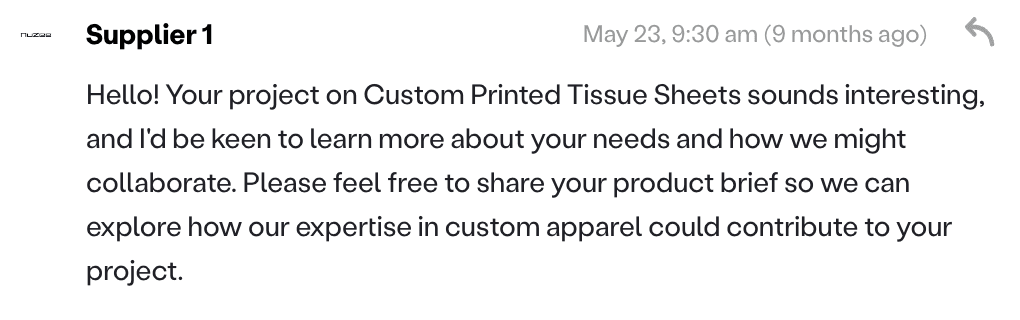
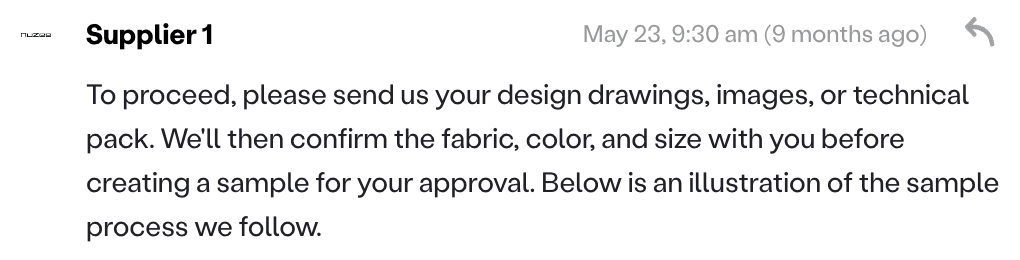
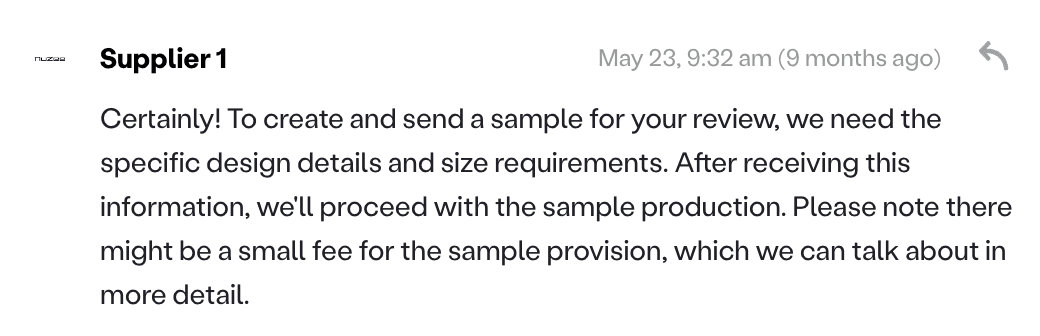
Without clear requirements to act on, the supplier had to keep asking basics and eventually dropped the conversation.
02
/
Research
The conversations that moved forward had one shared reference
Process. I reviewed past brand-supplier conversations and looked for patterns in what led to quick quotes versus stalled threads. I also ran reviews with the sourcing team to validate what suppliers actually need.
Insight. Suppliers need clear specs to quote confidently. Long-tails users do not know the right sourcing vocabulary or what details matter. When requirements were captured in a product brief, the conversation had momentum and suppliers could quote sooner.
kith inspired hats
pre-wash treatment
cotton twill
fashionable urban design
500 MOQ
Product brief for Urban comfort twill cap


General Information
Category
Caps, Hats, Headwear
Target Market
Urban fashion enthusiasts
Material Specifications
Fabric Material
100% Combed-Cotton Twill
Panel Setup
Six evenly shaped sections
Pre-wash
Softness
Production & Quality
Timeline
30-45 days
Sampling Costs
$75 per sample
MOQ
500 Units
A product brief is the bridge between ideation and manufacturing. It acts as the source of truth for the request, what it is, how it should be made, and what the brand needs on MOQ, sample cost, and timing.
03
/
Design opportunity
The design opportunity: AI as a guide, not just automation
Leveraging AI. AI has become increasingly good at turning messy, unstructured input into clear, structured information.We used it as a guide that helps brands flesh out early ideas, learn what suppliers need, and turn that input into artifacts suppliers can act on. The goal was not automation for its own sake. It was education and speed, with transparency and user control.
Grounded in Pietra’s sourcing knowledge. Pietra sits at the center of a trusted supplier network and has deep knowledge of what factories need to evaluate a project. Over time, this created thousands of data points across categories, materials, pricing patterns, minimum order quantities, and production constraints. We used that knowledge to guide what the agent asks, how it fills gaps, and what it recommends.
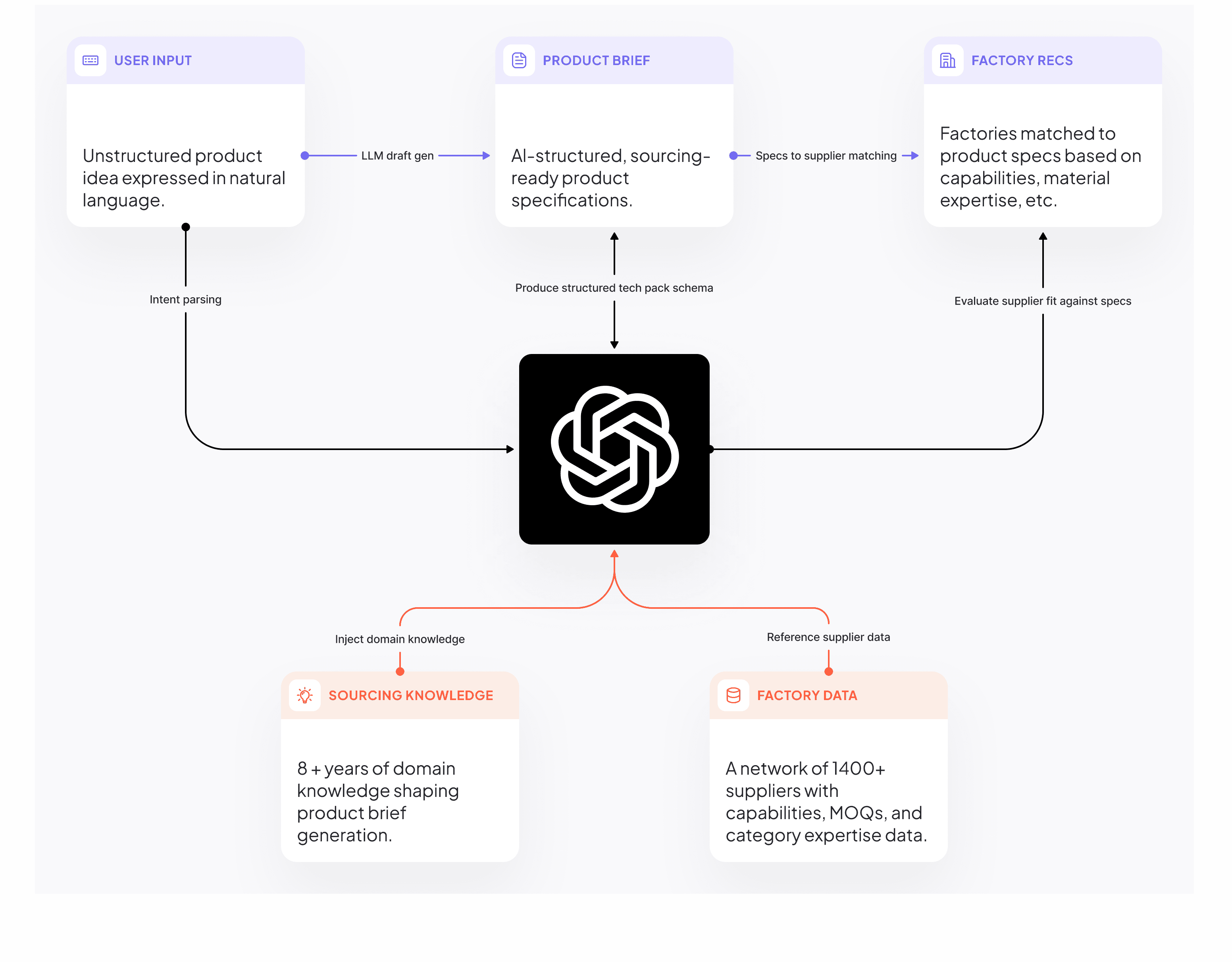
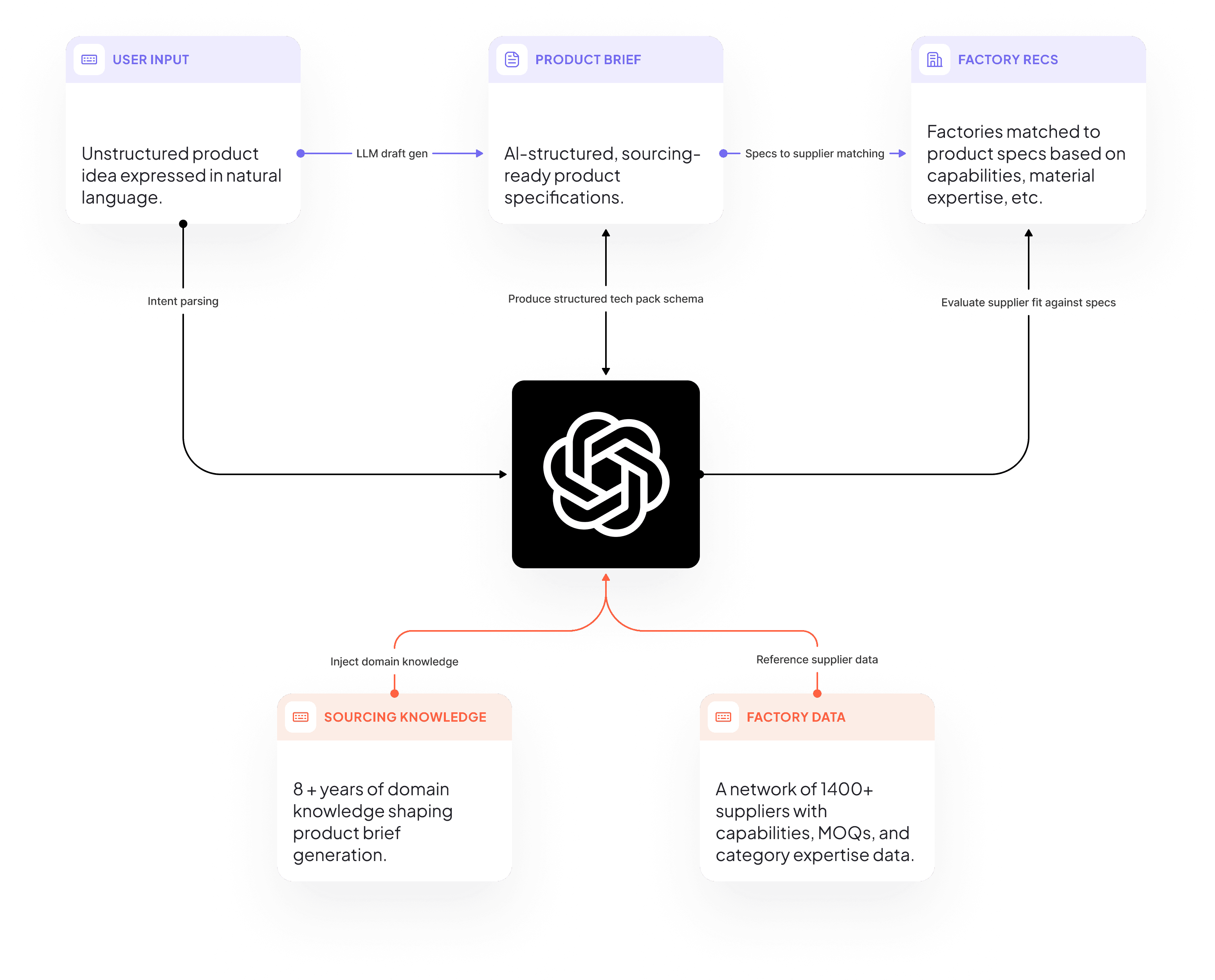
Sourcing agent framework
04
/
Build, test, then design
Validating the intelligence before designing the experience
Proving the agent could do the job. This was our first true agentic product at Pietra. So before committing engineering and design cycles to a full end-to-end experience, we needed confidence in the engine itself. So we first built the workflow inside a sandbox environment.
Pressure-testing the system. I reviewed generated briefs with the sourcing team to pressure-test them against real supplier expectations. In parallel, I partnered with PM to refine prompts. With engineering, I mapped model constraints around latency, regeneration behavior, and output structuring.
Key insights that shaped the experience. These insights directly shaped the product architecture.
Latency is a product constraint, not just a technical detail
The system was new, and model latency could not be eliminated overnight. Design would need to protect time-to-value while still improving clarity.Input quality directly drives output quality
Better inputs produced stronger briefs and more relevant supplier matches. Design would need to encourage stronger input so the brief is closer to complete.Structured output and seamless refinement drive progress
Large, dense blocks of text were difficult to navigate and refine inside a chat loop. Editing required excessive scrolling, re-prompting entire sections, and waiting for the model to regenerate content.
Sourcing agent testing environment
05
/
Design challenge 1
Strengthening user input
Observation. Input quality directly shaped brief completeness; and brief completeness directly shaped factory matching quality. Better input ➝ More complete brief ➝ Accurate supplier recs
Behavioral constraint. Users controlled the input. Some provided rich detail. Others typed a single word like "t-shirts."
Vague input ➝ More AI guesswork ➝ More cleanup ➝ Delayed time-to-value ➝ Higher drop‑off risk
System constraint. Generating a brief already required ~1–2 minutes. Weak input compounded that delay.
Goal. Encourage stronger input so the brief is closer to complete and users don't abandon the flow.
Iteration 1
Auto enhance on send. Leadership pushed for a lightweight way to strengthen input before brief generation. After a user hits send, the system takes their input and generates 2-3 improved prompt options that try to fill gaps quickly.
The double latency loop. Auto enhance added a second wait before users saw value. Users waited ~30 secs for prompt options, then another 1-2 minutes for the brief. The added delay introduced friction at the very start of the flow, and made the tool feel slow.
Auto enhance on send. Prototyped using claude.
Decision. Do not force enhancement. Input strengthening must not block speed.
Iteration 2
Better inputs through guidance, not a forced detour. We still needed stronger inputs, but without adding more waiting before the brief.
Prompt templates. Short, copyable examples that show what a strong request looks like. This helped users move past one word inputs we saw early on, like cotton, t shirt, or hats.
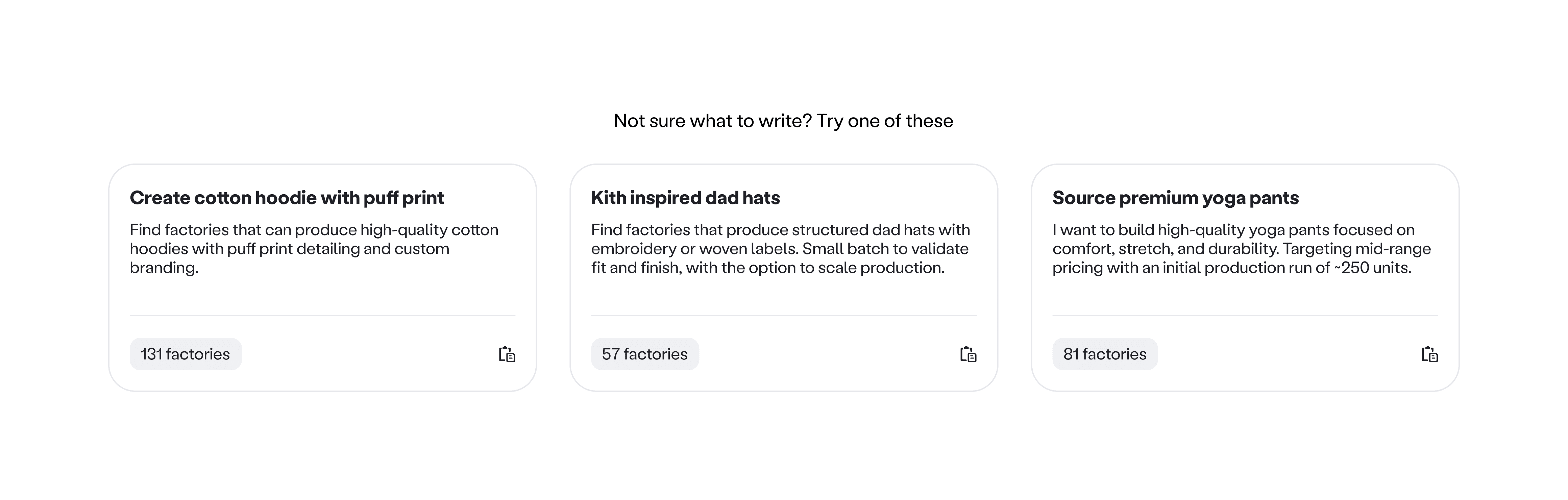
Prompt templates on input screen
Help me refine, optional. We kept enhancement, but made it user controlled. New founders could pull suggestions when they wanted them, experienced users could move forward without friction.
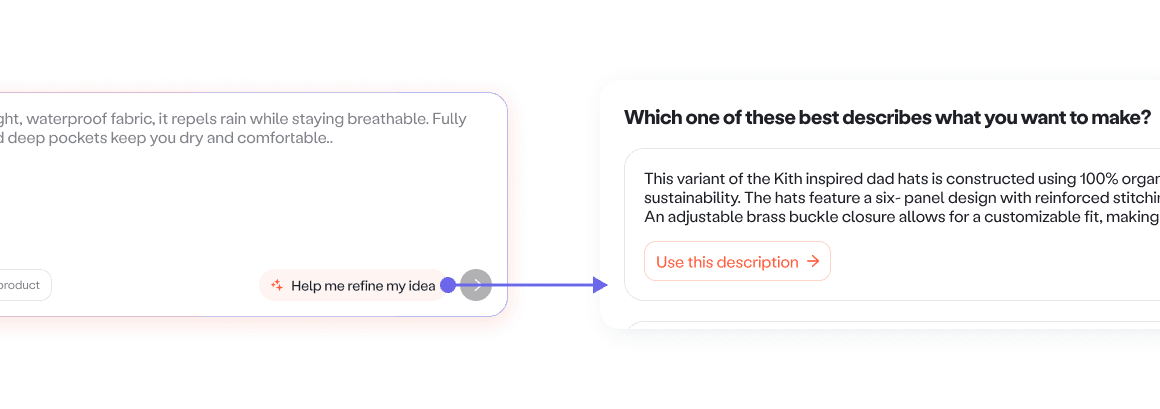
Optional enhanced input experience
Why it worked. Users who needed support received it. Fast users were not slowed down.
Iteration 3
User behavior remains unpredictable. Even with templates and optional refinement, some users still submitted minimal or vague input.
Guided review as a fail safe. We designed recovery directly into the workflow. The agent guides the user section‑by‑section. It asks focused questions, suggests missing constraints, and makes it easy to confirm or edit, so users never feel stuck staring at a long document.
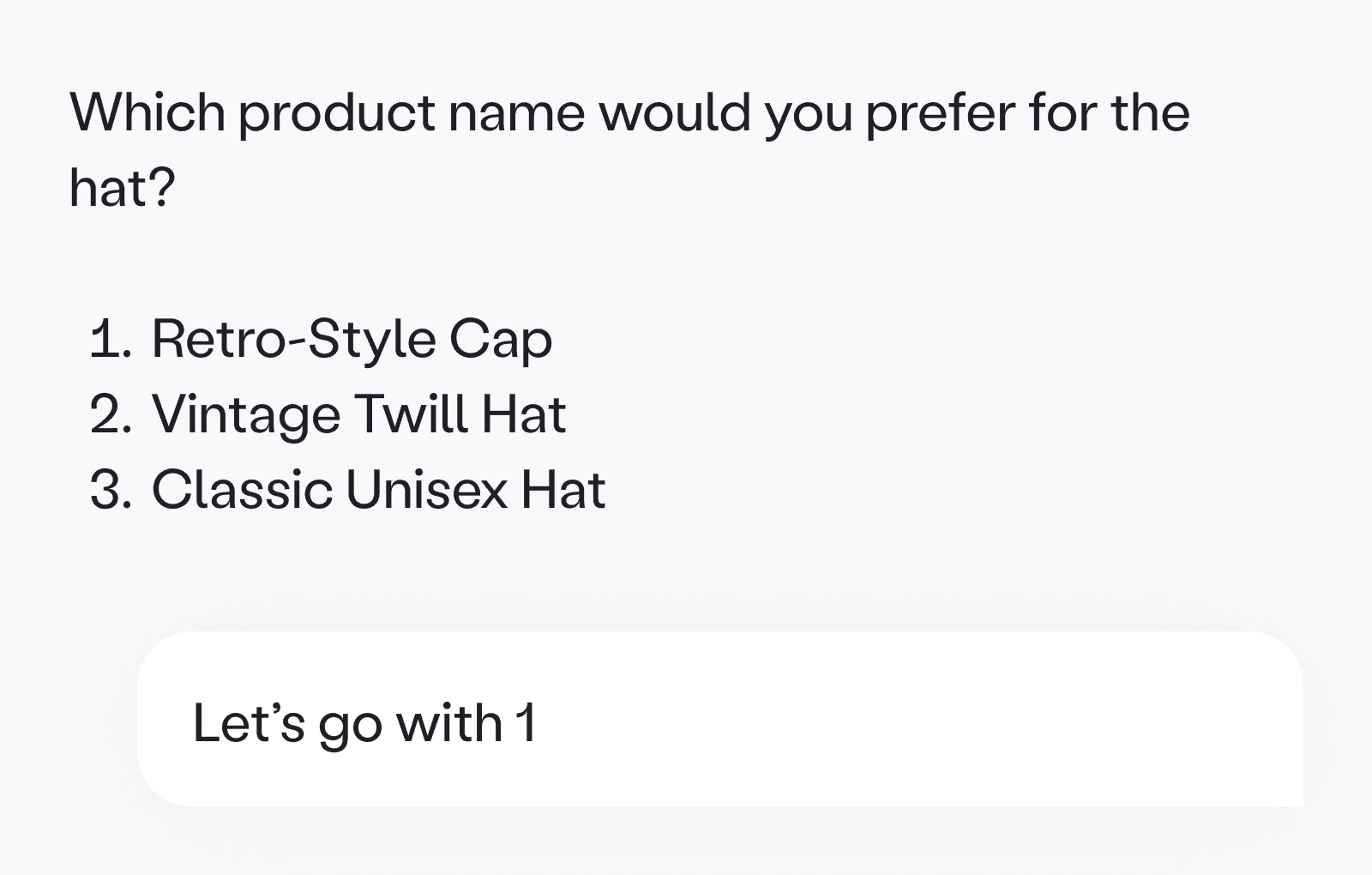
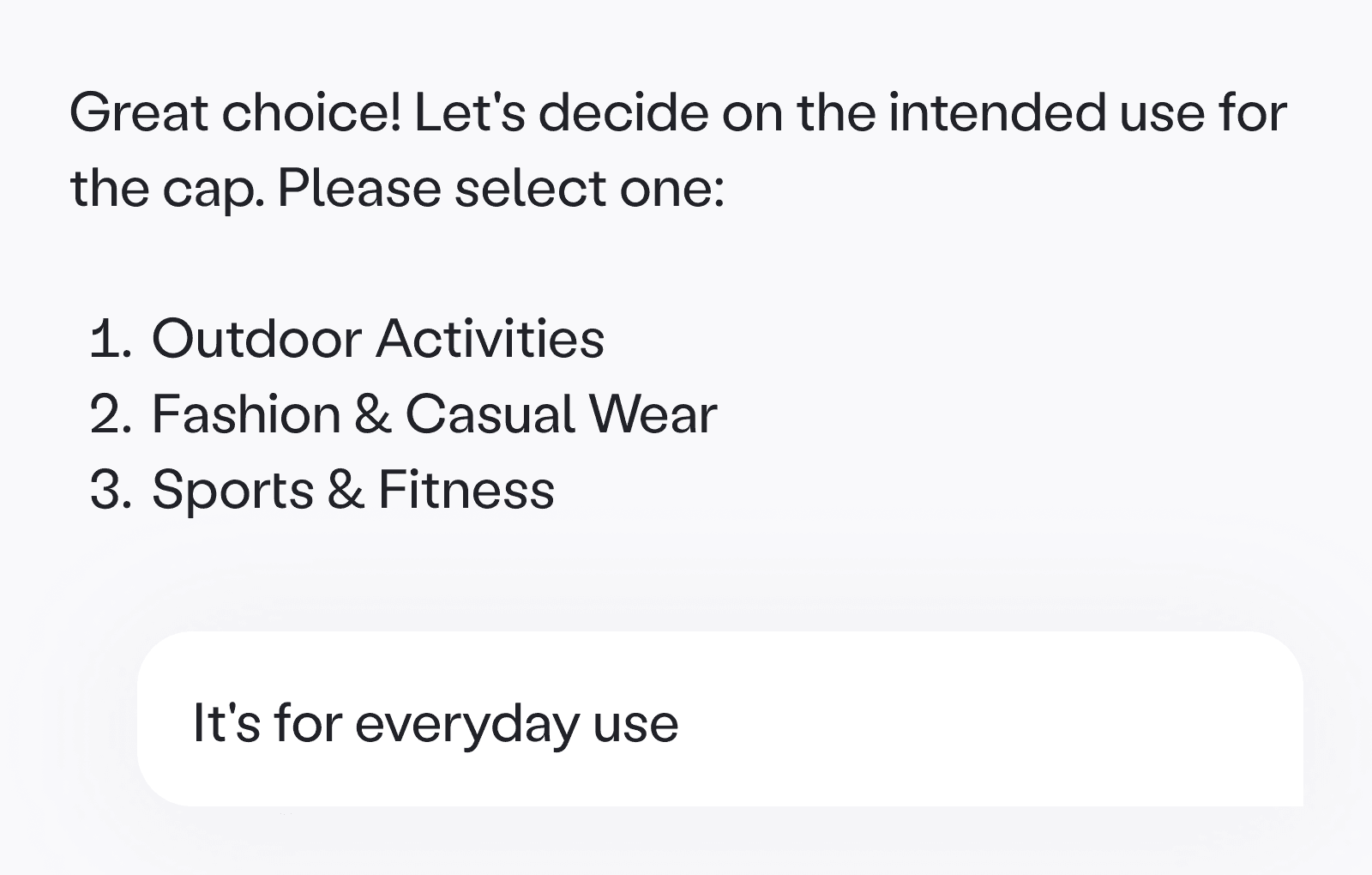
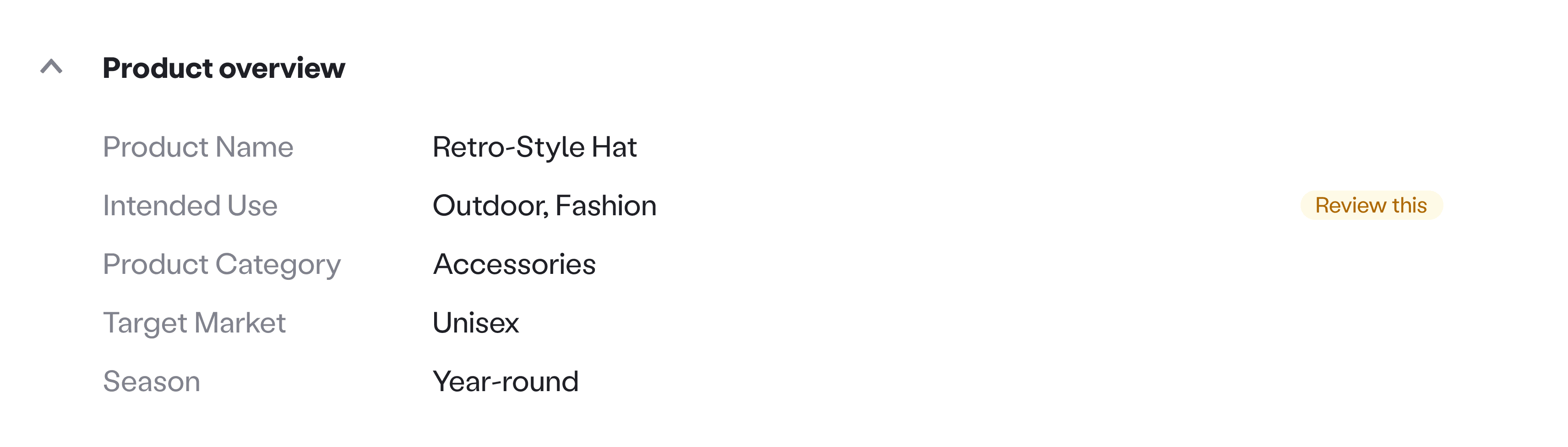
The agent guided users field by field to fill gaps and confirm edits
Reflection
User behavior is unpredictable, especially when it comes to prompting. We cannot control how much context a user provides, so the responsibility shifts to the system: spupport when clarity is low, preserve confirmed intent, recover when output is incompleteMaintain momentum despite latency.
06
/
Design challenge 2
From static output to interactive collaboration
The brief needed a canvas. The team aligned early that long, supplier-ready briefs could not live as chat responses. They needed structure, hierarchy, and persistent visibility. I designed a side-by-side canvas where the brief stayed visible next to the conversation, while the agent guided users through each field step by step.
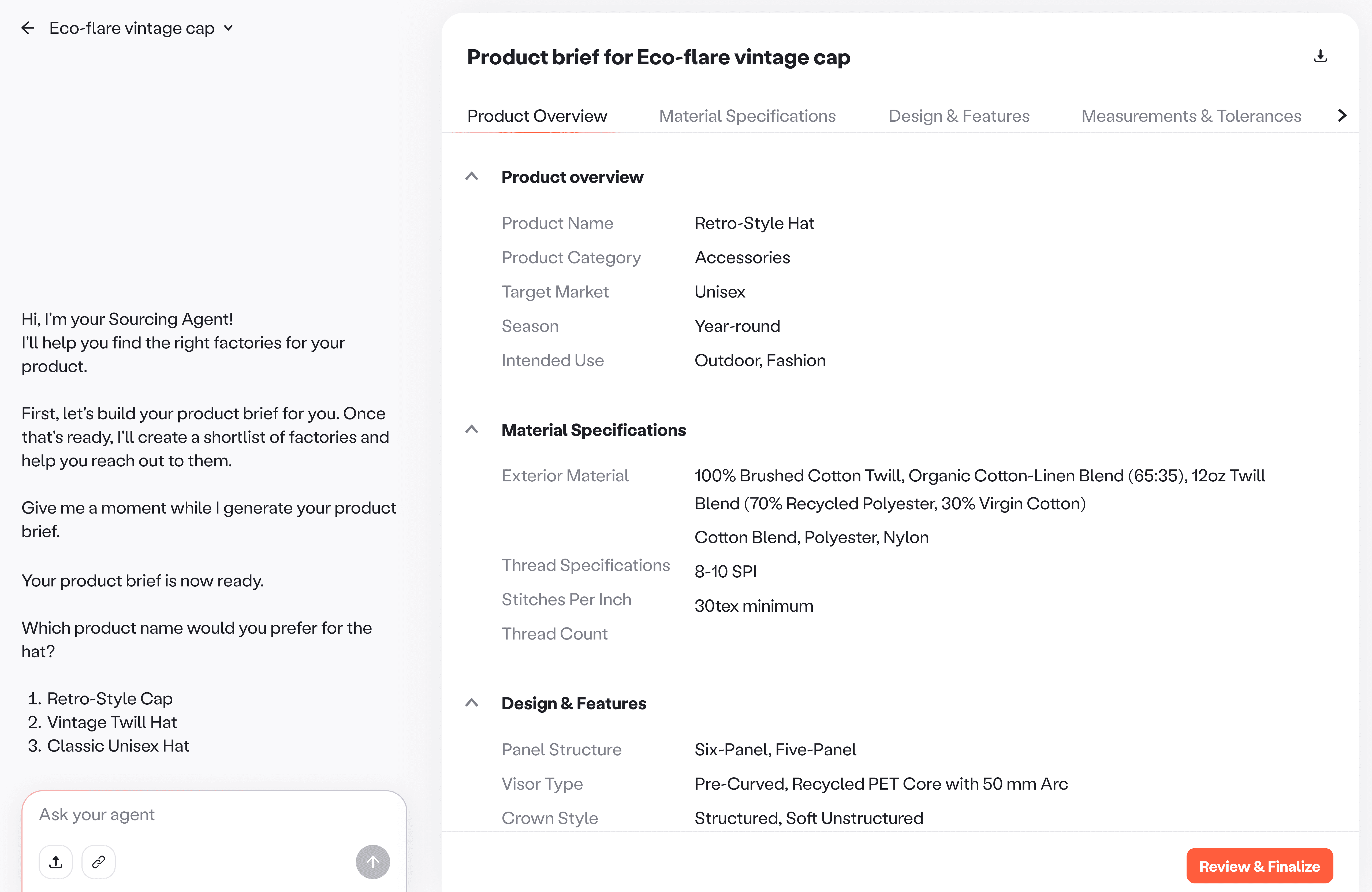
Chat and brief side-by-side view
Iteration 1
Editing was still slow. Users either waited for the agent to ask the next question or manually typed instructions and waited for regeneration. Every change became a loop of type ➝ wait ➝ reread ➝ repeat.
Proposal & Pushback. I proposed making the brief interactive so users could act directly on the document instead of routing every micro decision through chat. The pushback was valid. This meant new interaction patterns and complex state handling, so we needed proof of usage before investing in heavier engineering.
So how do we improve refinement with minimal build? If we could not remove chat dependency, we could at least optimize for speed.
Brief canvas. Introduced Review this cues on fields where the agent made assumptions or needed user confirmation, so users could focus on the highest risk gaps first.
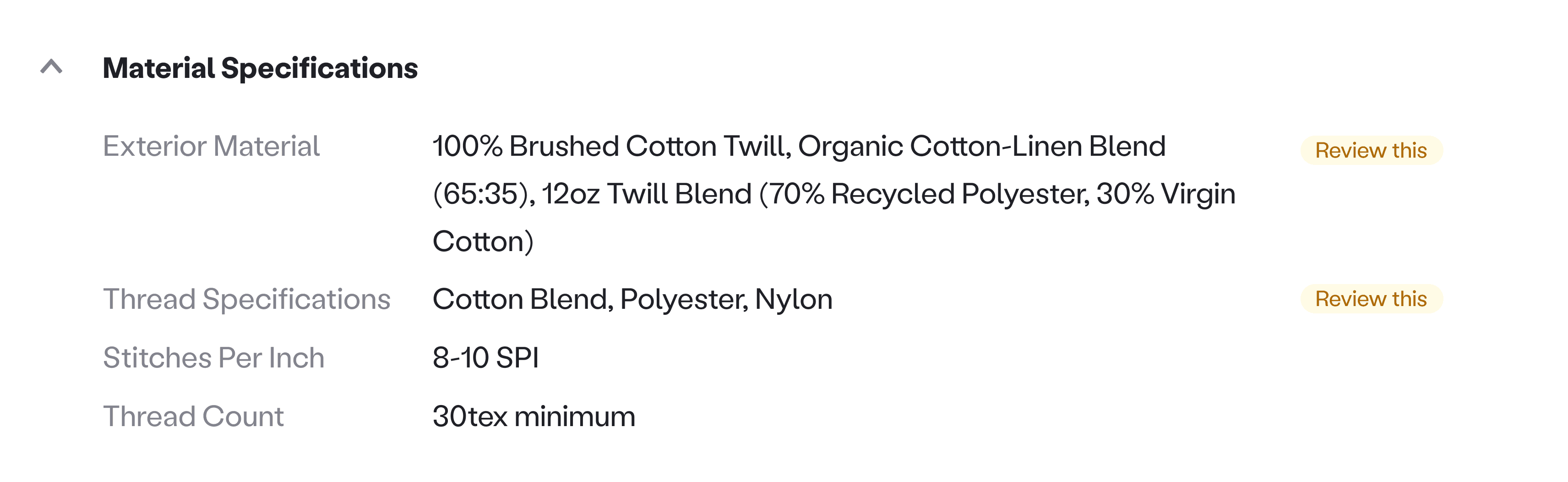
Review this cues highlighted fields that needed user confirmation, turning a static brief into a guided checklist.
Lock and skip. Locking keeps confirmed fields fixed so the agent skips them, which removes repeat questions and keeps momentum.
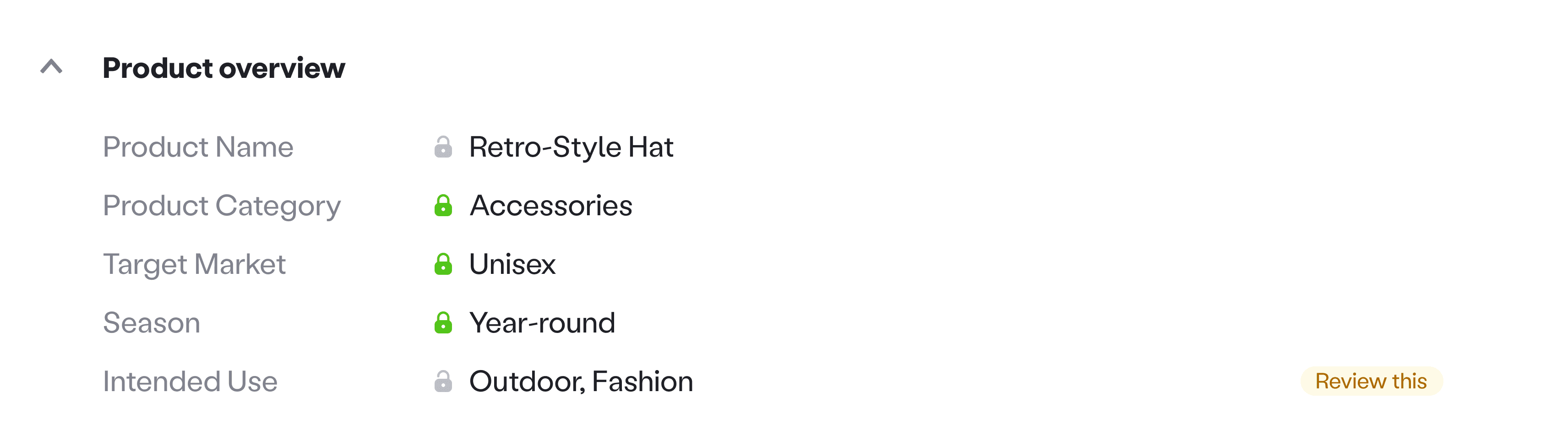
Auto lock was applied to fields that are already explicit in the brief, and when a user confirms a choice.
Iteration 2, 3, …
Sequencing interactivity. Interactivity was intentionally phased based on impact and effort. Clarity first, targeted refinement later.
Visualize for ambiguous details. The sourcing team pointed out that some details are hard to validate in text. We used our existing image generation capabilities to visualize options using the full brief context, helping users confirm details and make decisions faster.
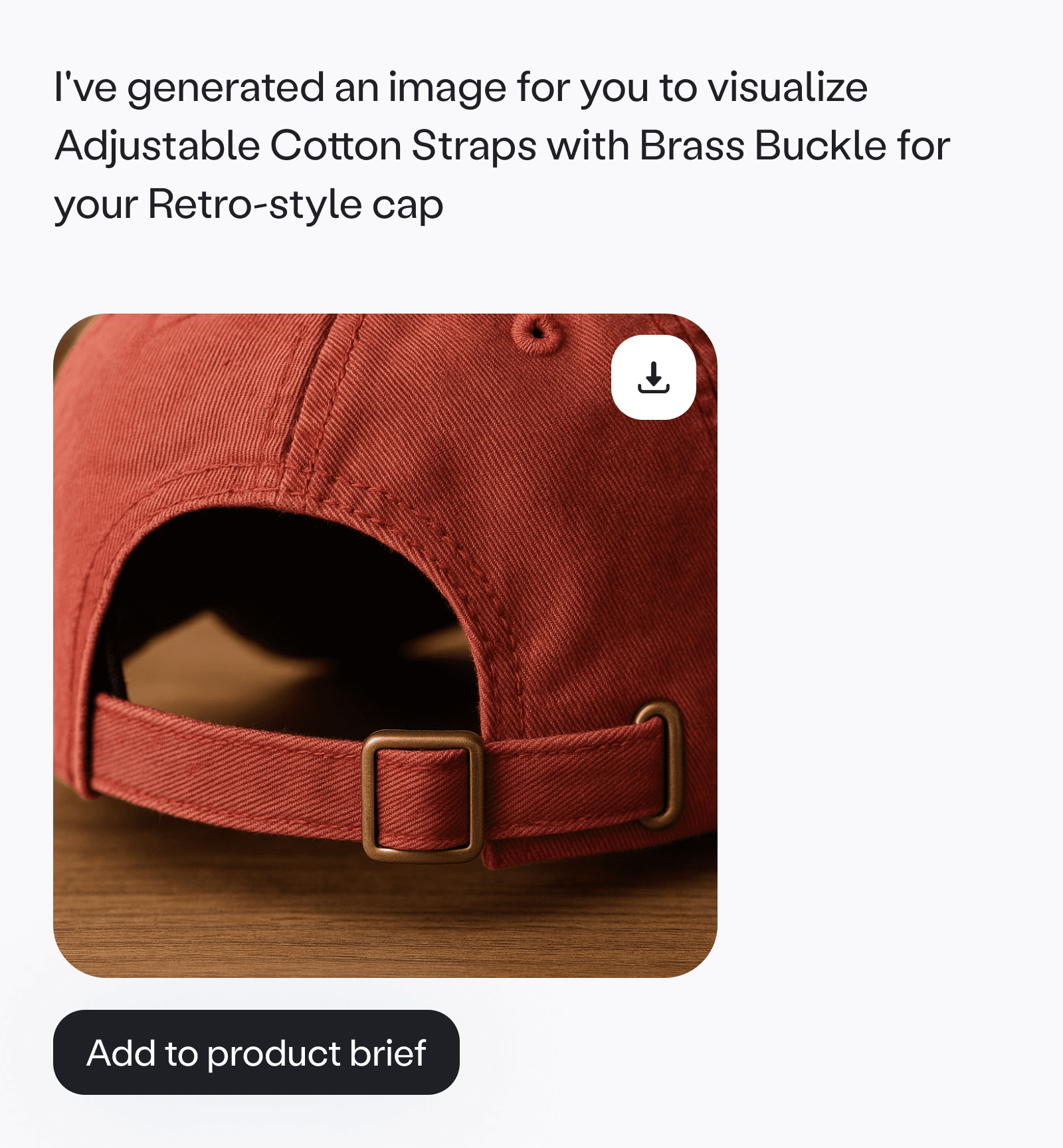
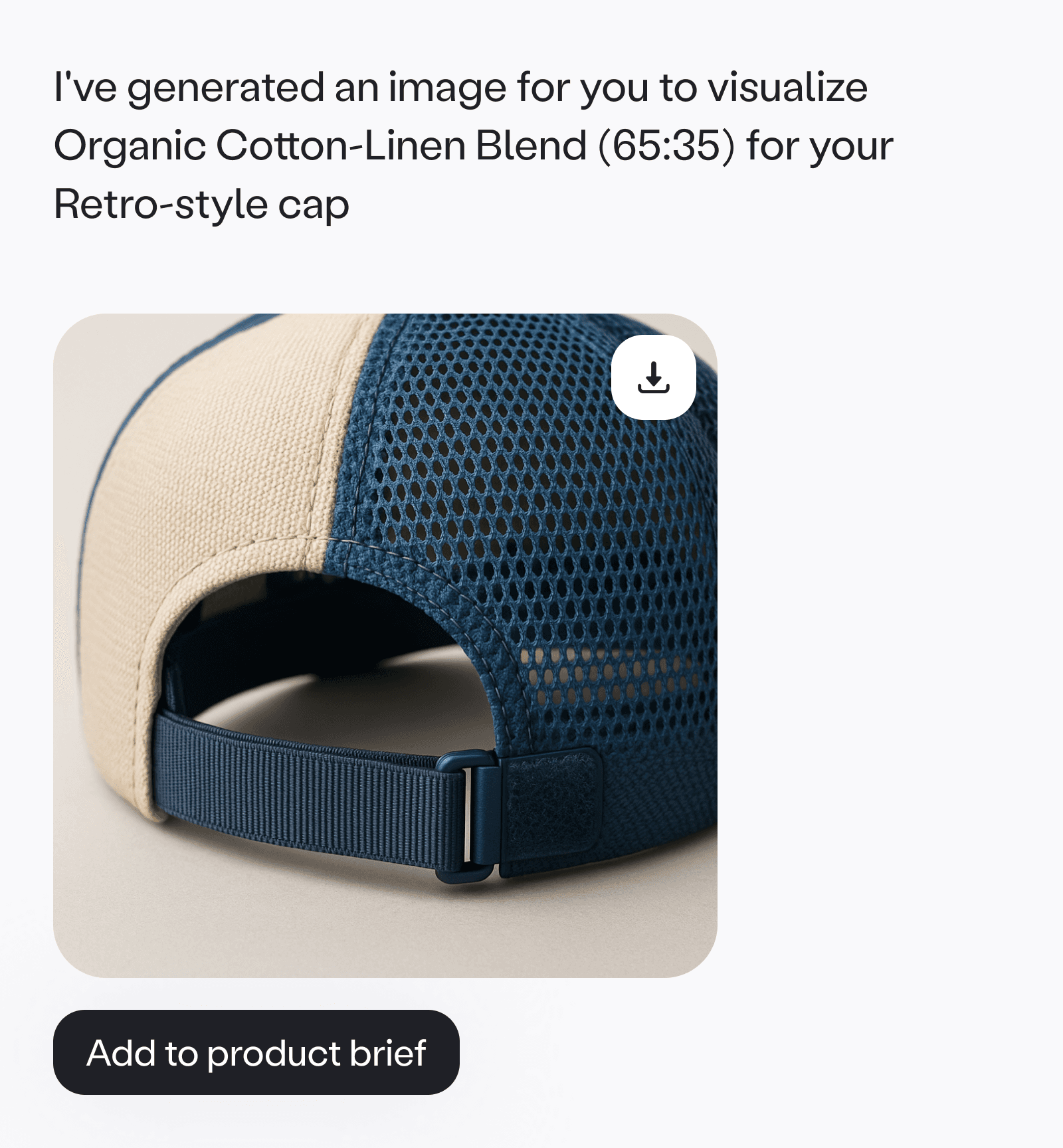
Visualize brought the brief to life with context aware images, making it easier to align on details before outreach.
Inline actions. We added a field level menu with common questions we shaped with the sourcing team. Users could pick an option, ask from a preset list, or ask their own question, so decisions stayed fast and in context.
Field actions moved refinement into the brief
Reflection
In agentic systems, generation will never be perfect. What determines trust is how safely and efficiently a user can correct the system. Sequencing prevented overbuilding, reduced system risk, and ensured each layer of interactivity solved a real user pain rather than showcasing technical capability.
07
/
Post launch
Keep supplier outreach moving at scale
A new challenge post launch. As AI started helping brands identify more relevant factories, users were often reaching out to a larger number of suppliers than before. That was a win for reach, but it also multiplied the work of managing conversations.
Goal. Help users scale outreach while staying focused on decisions instead of coordination.
Extending automation into messaging. Brands could keep conversations manual, or deploy an agent to handle outreach and follow ups.
~90% of users who turned on automated messaging kept it enabled. This indicated that goal-based automation reduced overhead without compromising trust or control.
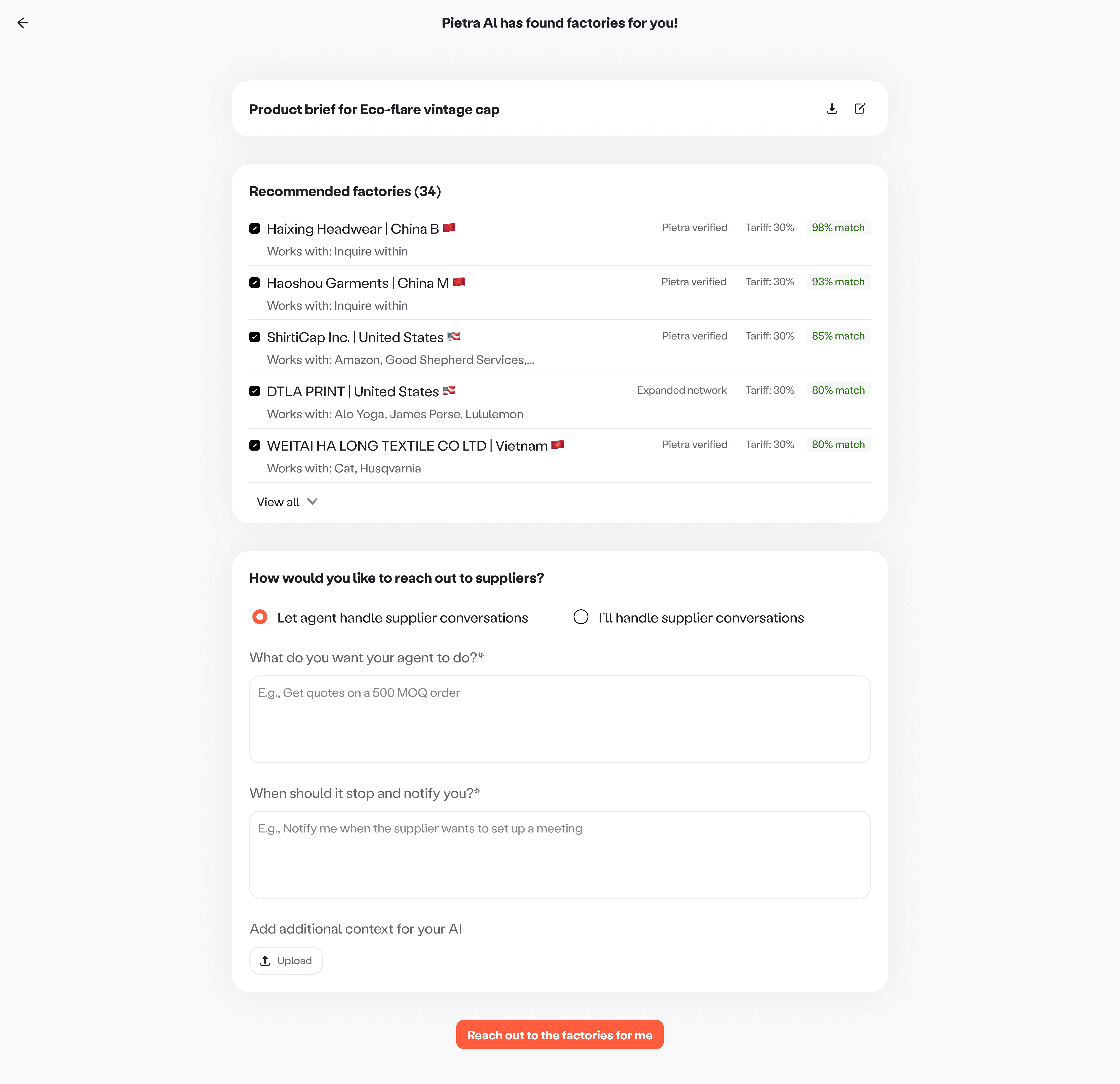
Automating supplier outreach
Goal driven automation. Users set what information to collect and what to report back, keeping the agent focused on outcomes.
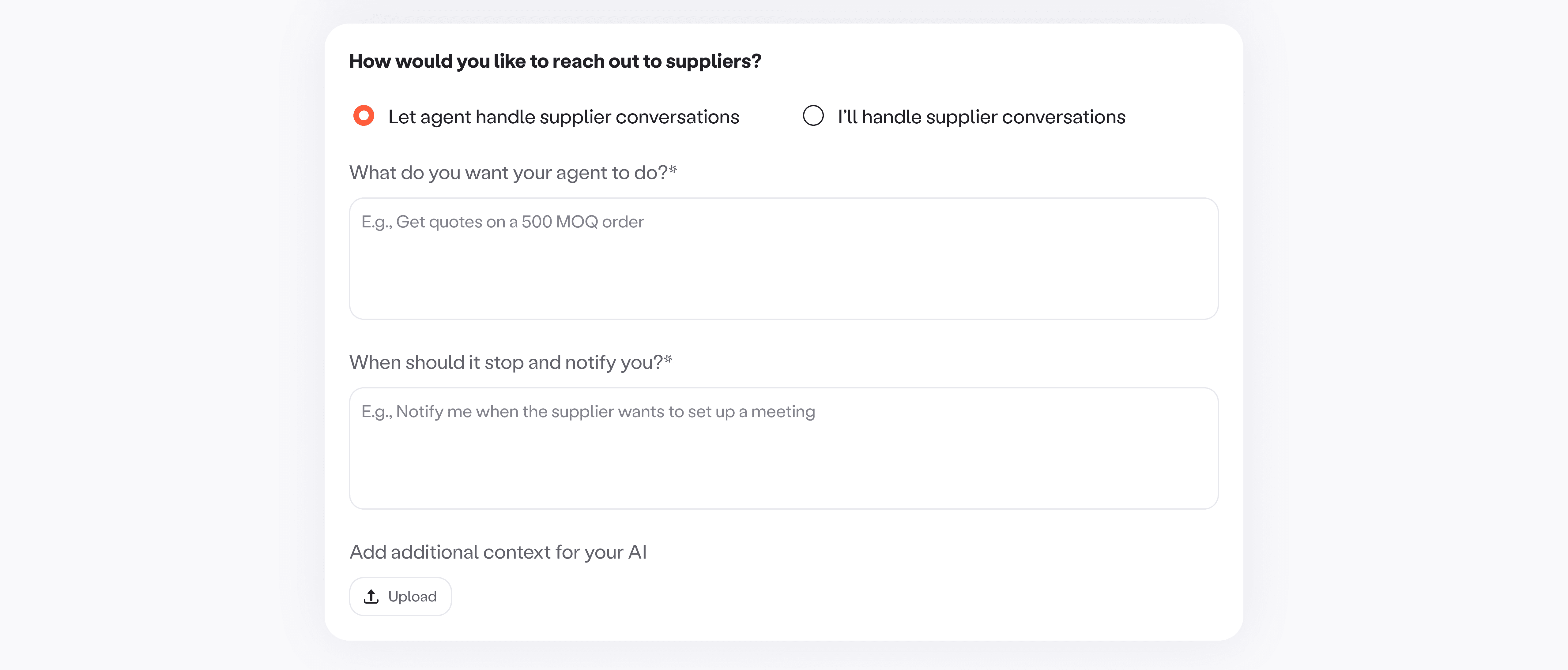
Goal based automation
Guardrails and recovery. Before deployment, we validated the brief and goal, surfaced missing info clearly, and offered quick fixes. This ensured the agent entered conversations with enough context to be effective.

LLM-based information validation layer
Scannable progress and clear control. We summarized threads, tagged them by outcome, and gave users simple controls to edit goals, stop, or take over. Notifications only fired when human input was needed.

Agent inbox
08
/
Evolution
The sourcing AI has since been integrated into Pietra’s core co-pilot
Sourcing AI was Pietra’s first successful AI-native workflow, proving that guided automation could meaningfully improve a complex, high-stakes process like sourcing. This integration marked the transition from an experimental AI feature to a foundational capability embedded in the product’s day-to-day workflows.
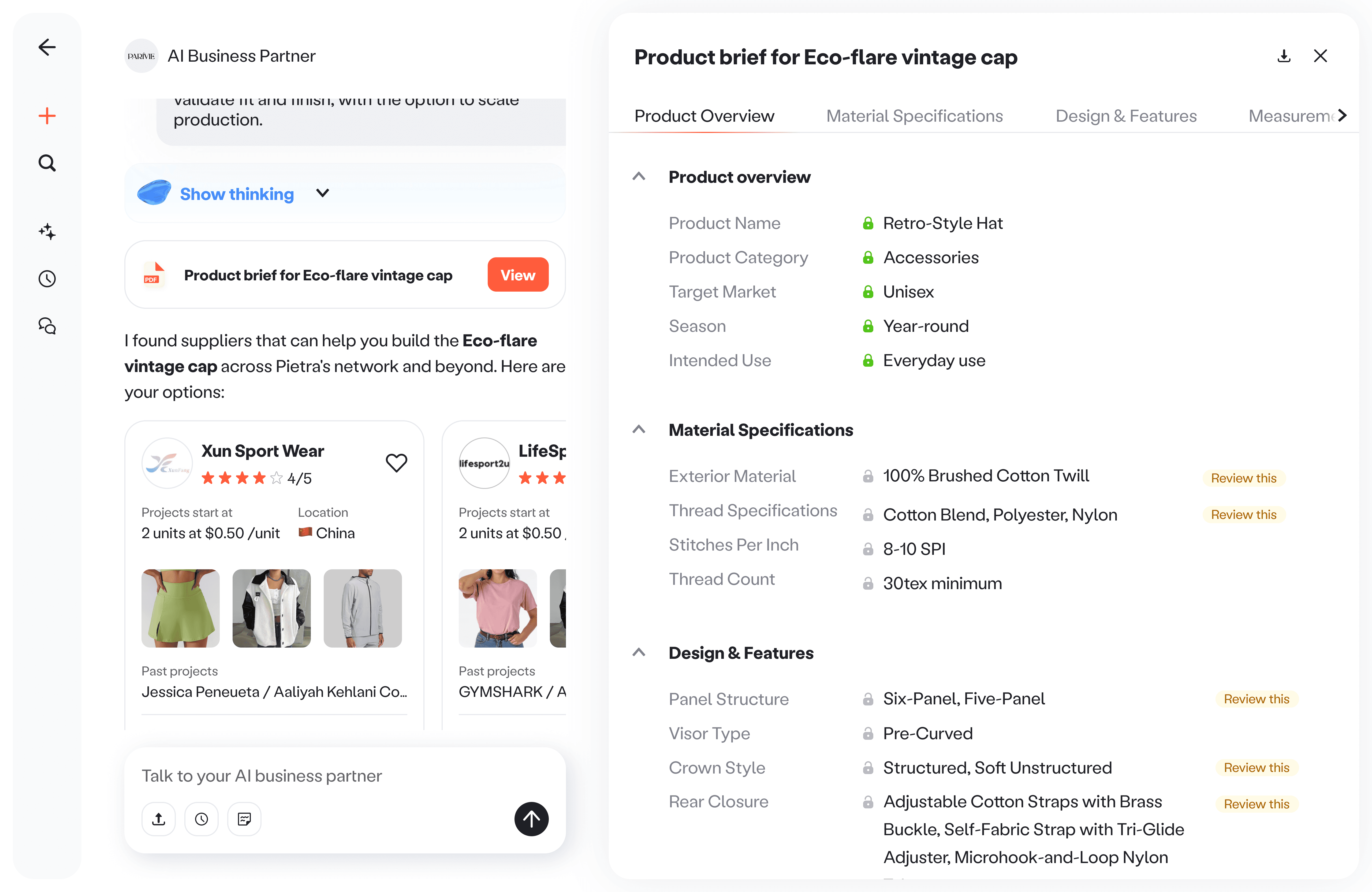
Pietra Copilot
09
/
Learnings & Reflection
What I learned designing my first agent workflow
Building a sandbox made everything faster later. Before I could design the right experience, I needed to understand how the agent behaves in the real world. A lightweight sandbox made it easy to test edge cases, see failure patterns, and make faster decisions once we moved into product design.
Users bring intent, not prompting skill. Most users are not thinking in prompts. They are thinking in goals. The system has to help translate messy intent into something structured, and make it easy to recover when the input is unclear.
Trust comes from guardrails and control. Trust is earned when the system protects confirmed decisions, does not overwrite user intent, and makes it obvious what will happen next.